如何将网站提交至 OpenAI ChatGPT Business Hub
How to Submit Your Website to ChatGPT Business Hub via @sejournal, @vahandev
作者以提交 Search Engine Journal 为例,介绍如何通过 ChatGPT Business Hub 创建或认领网站商家资料,流程包括 DNS TXT 记录验证、身份核验和填写企业信息。Business Hub 支持符合条件的纯线上业务,但认领资料不保证获得更高推荐位置;作者展示的统计窗口中有 353,356 次提及和 2,663 次网站点击,数据截至 11 月 10 日。
文章以作者提交 Search Engine Journal 的经历说明网站商家资料如何进入 ChatGPT Business Hub,并梳理域名验证、身份核验与数据查看环节。
OpenAI introduced the long-awaited Businesses in ChatGPT feature in beta on November 10, 2026. You can submit your website’s business information through Business Hub to claim or create a profile and provide details about your company.
I’m excited about this, and I’m sure other digital marketers, not just SEOs, are too and after submitting Search Engine Journal to ChatGPT, I decided to share my firsthand experience with SEJ’s readers.
If you choose the physical-location option to create a new business, you may see a waitlist. That happened in my test. The website option let me continue with Search Engine Journal.
Existing local listings have a different process. OpenAI’s setup guide says stores and restaurants can currently claim an existing U.S. listing.
For those listings, select Business phone if it is offered, then choose SMS or an automated call to receive a code. Make sure the listed phone number is reachable. If you choose a call, do it during business hours when someone can answer and an auto-responder won’t prevent the verification call from reaching you.
Unlike Google Business Profile, ChatGPT Business Hub accepts eligible online-only businesses. Google lists “Brands, organizations, artists, and other online-only businesses” under “Ineligible businesses” in its eligibility guidelines. For SEJ, this meant I could submit the publication as a website business.
Whether submitting a profile brings more visibility is another question. OpenAI says claiming a business does not guarantee higher placement. Its business overview explains that ChatGPT still makes its own recommendations and comparisons.
In this guide, we will walk through the submission process step by step and look at how to read the insights in Business Hub.
What to Prepare Before You Start
Before you start, make sure you have access to your domain’s DNS settings and your business records. I had to verify the website domain and my identity, then provide the business details.
Here is what you’ll need:
- Personal identification: A government-issued ID for the personal identity check.
- Business website: Your business’s domain.
- DNS access: Access to add a TXT record, or help from the person who manages your domain.
- Public business name: The name customers recognize.
- Legal business name: The organization’s name on its official documents.
- DBA or trading name: The name the business operates under, if it differs from the legal name.
- Business type: Whether the business is a sole proprietorship or an entity, as recorded in its business documents.
- Business addresses: The physical address and the legal registered address if different. The form shown below excludes P.O. boxes.
- Registration or tax identifier: The identifier requested for your country and business type.
- Contact information: A business email address and phone number. These were optional when I submitted SEJ.
For SEJ, I entered Search Engine Journal as the business name and used its DBA details. DBA stands for “doing business as.” I selected Entity as the business type.
One field caused some confusion. It asked for a registration number, but the 12-1234567 placeholder looked like a U.S. Employer Identification Number, or EIN. A state registration number is different, so check which identifier the form requests for your country before entering it.
Step-by-Step Guide to Submitting Your Website to ChatGPT
1. Find Your Business or Start a New Profile
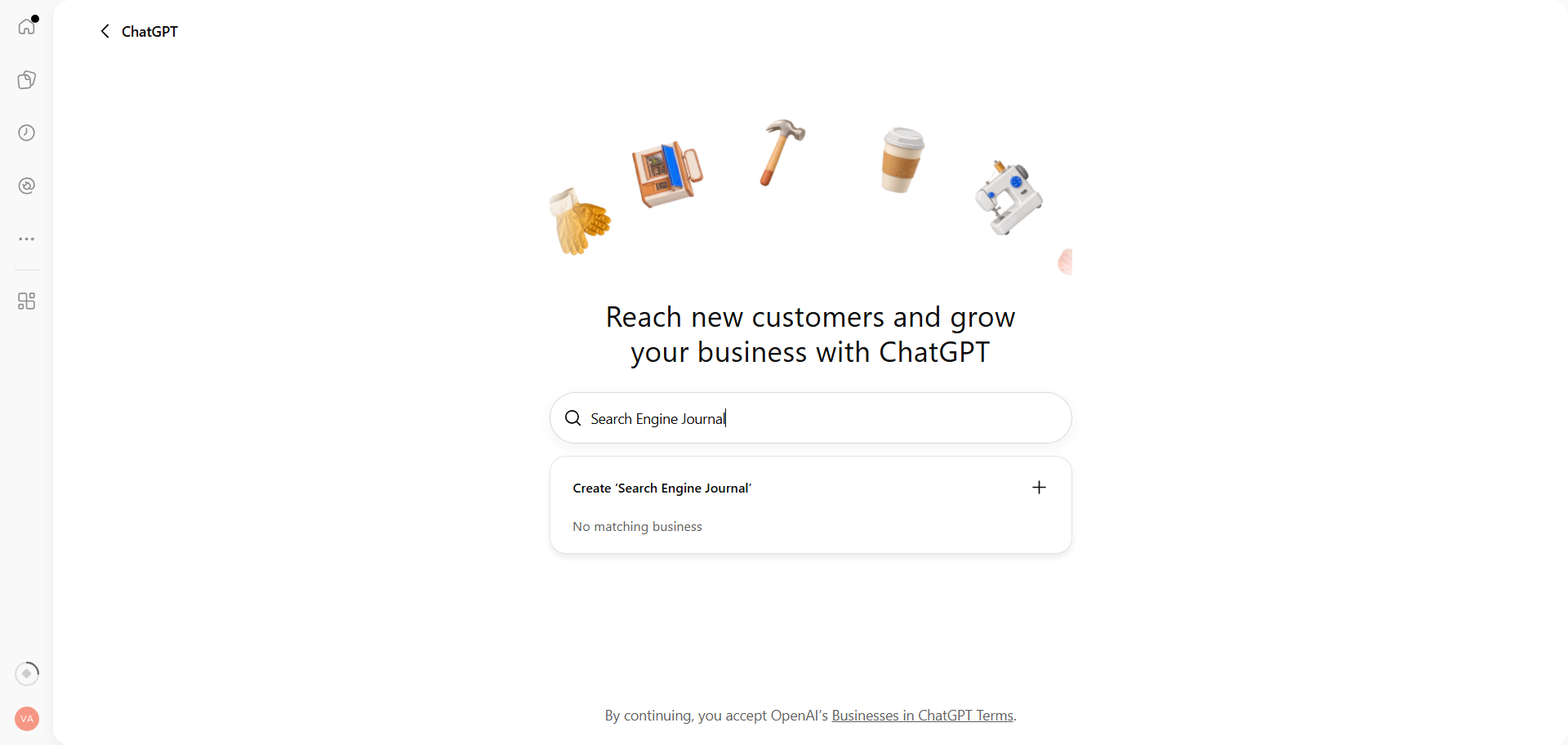
Sign in to ChatGPT, open Business Hub, and search for your business name. Select the matching business if it appears. If there is no match, look for the option to create a new profile.
2. Choose How Customers Interact With Your Business
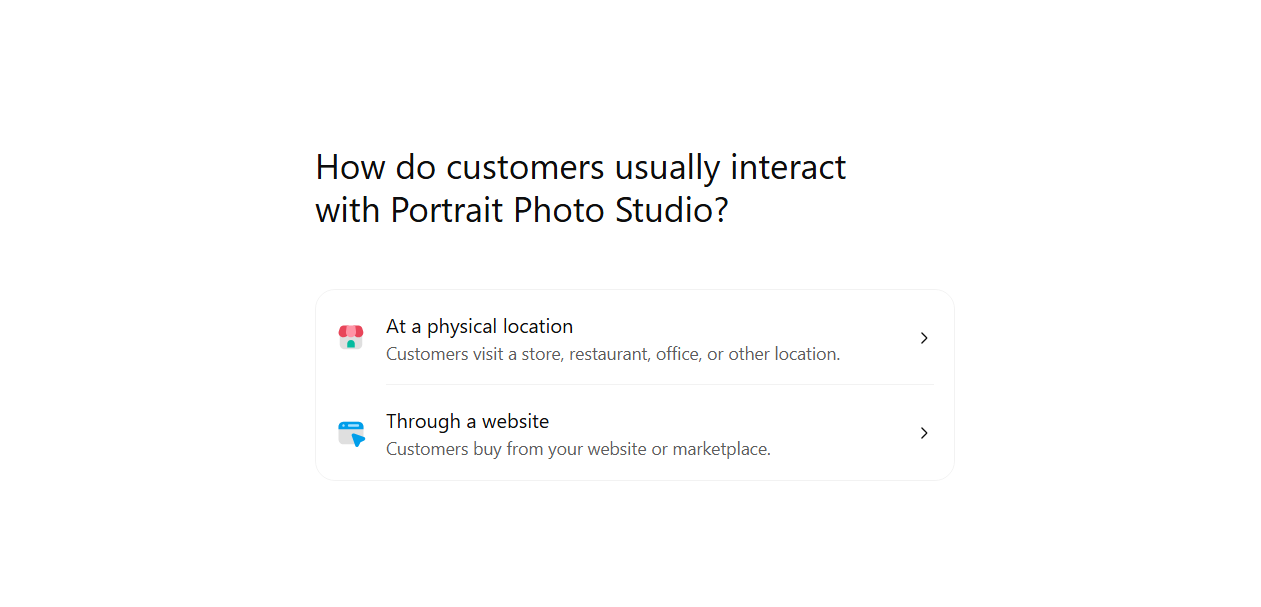
In a separate physical-location test, creating a new business profile led to a waitlist. ChatGPT said it would send an email when I could continue.
For SEJ, I selected Through a website because readers access the publication online. This took me to domain verification.
3. Verify Your Website Domain With a DNS TXT Record
ChatGPT asked me to verify SEJ’s domain by adding a TXT record to its DNS settings.
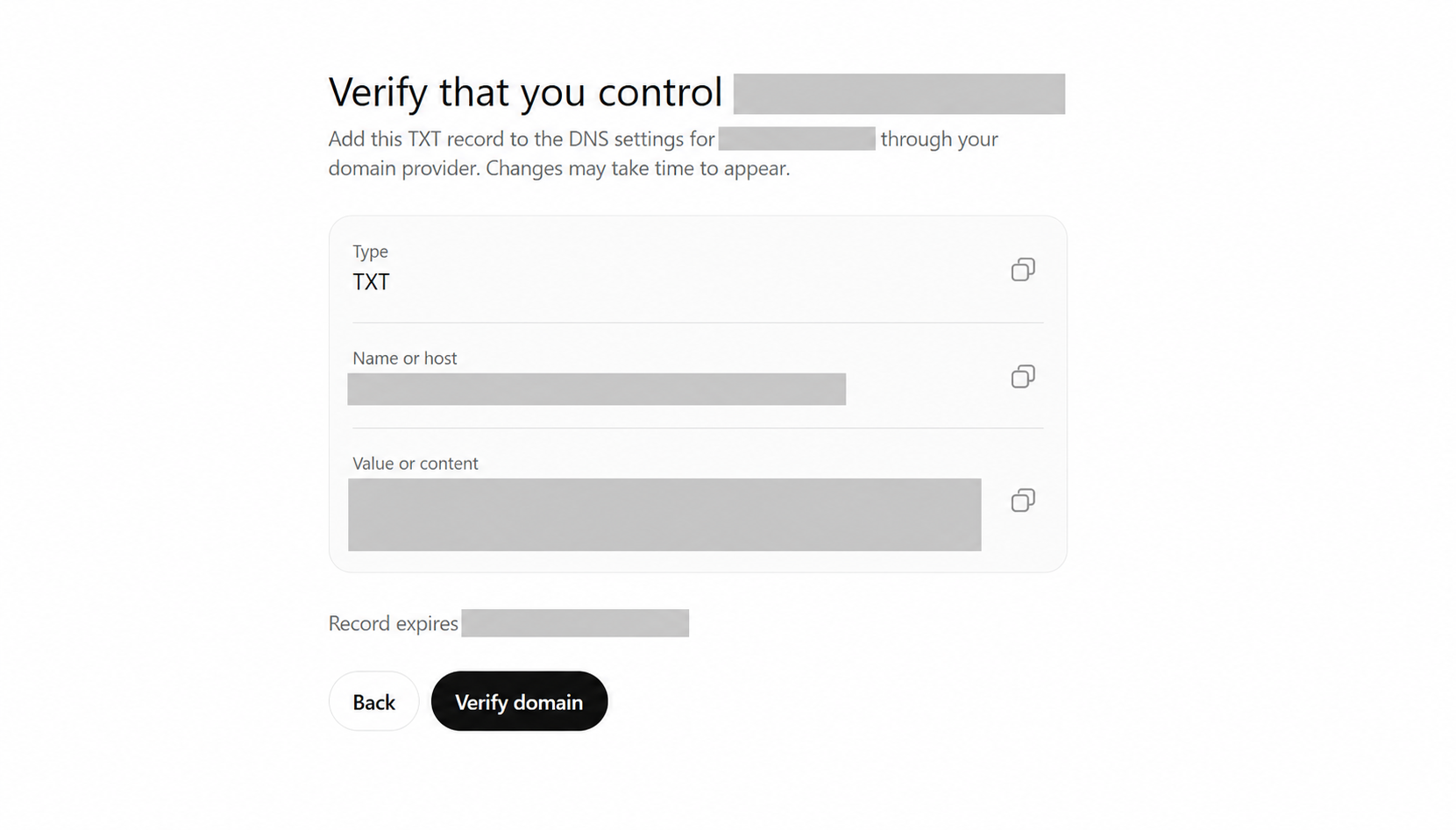
Copy ChatGPT’s TXT record type, name, and value into your domain’s DNS settings. After the update takes effect, return to ChatGPT to verify the domain. See OpenAI’s verification instructions.
This confirmed control of the domain. I still had to verify my identity and submit the business details later in the process.
4. Select a Business Category and Add Your Description
Once I verified the domain, ChatGPT asked me to choose a category from a predefined list and add an optional description.
I selected Magazine publisher for SEJ. ChatGPT also suggested Online media company and News service.
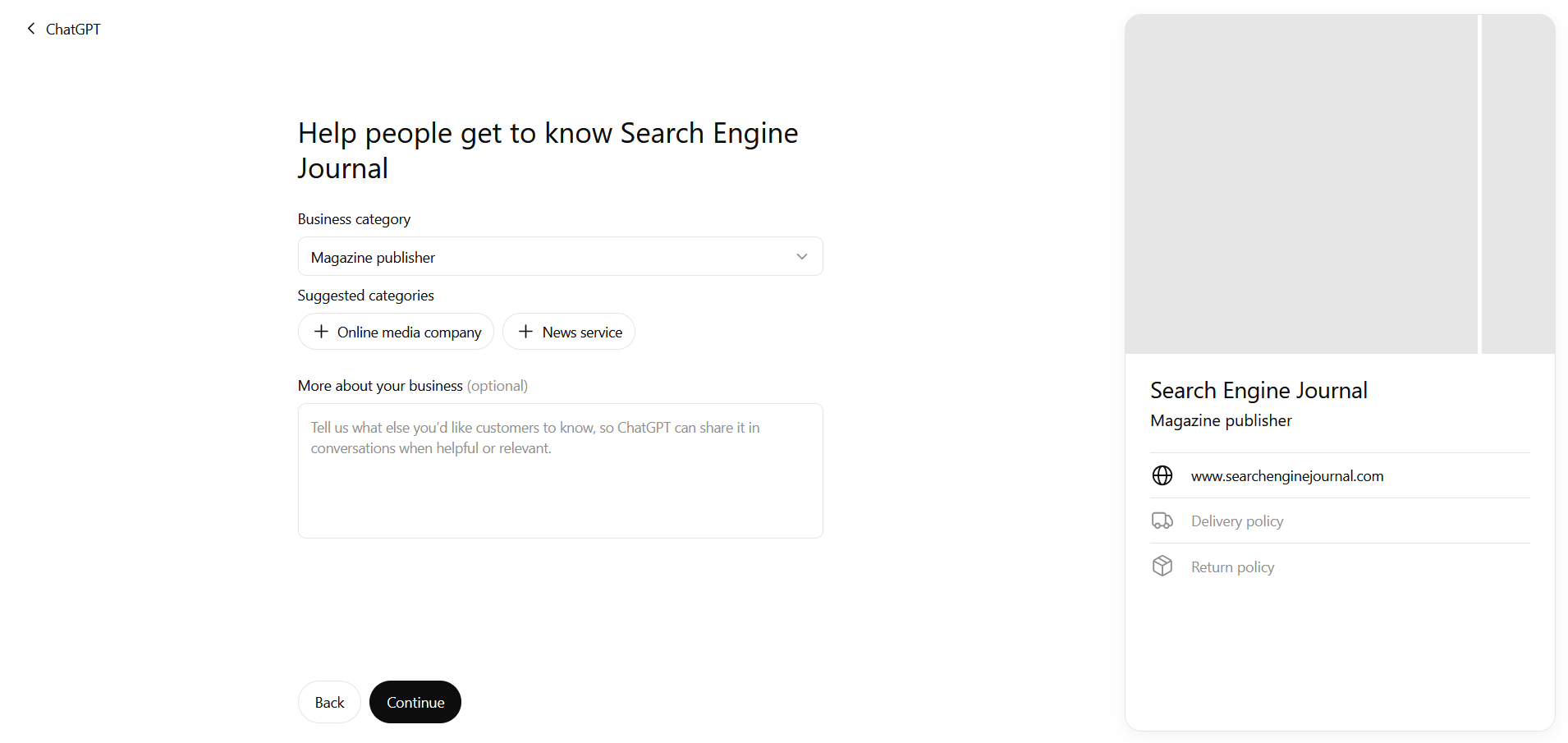
The description field said ChatGPT could share these details in relevant conversations. For a publisher, this is a place to explain the topics it covers and who it writes for.
I would expect ChatGPT to use this context when matching your services with relevant questions. Write the description with SEO and GEO in mind, using the language your customers use to describe what they need.
5. Add Contact Details and Answer the Policy Questions
Next, I could add a business email address and phone number. Both fields were optional.
ChatGPT then asked about delivery and returns. Those questions felt out of place for SEJ, especially after I had selected a publishing category.
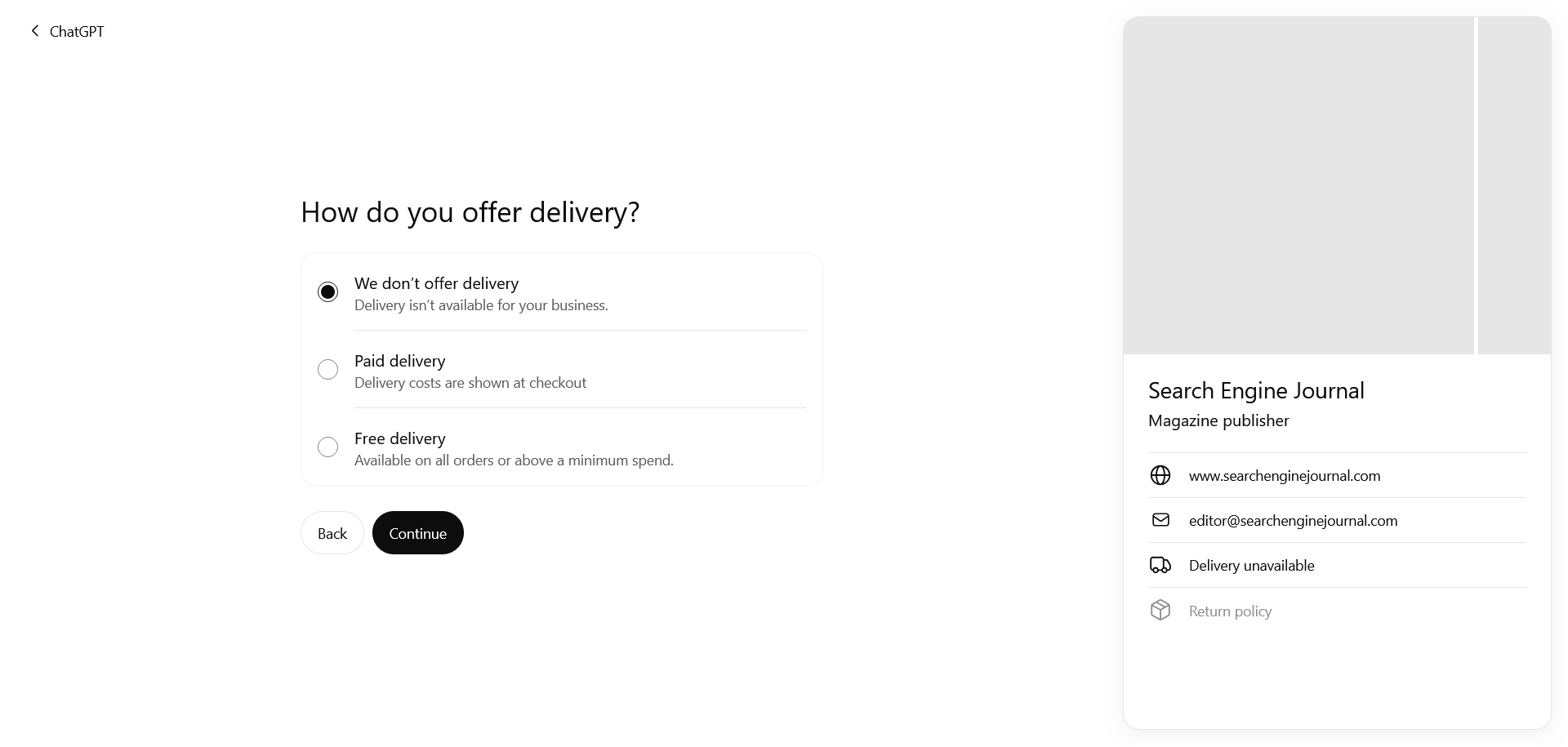
The delivery choices covered no delivery, paid delivery, and free delivery. The following screen asked whether returns were unavailable, accepted with fees, or free.
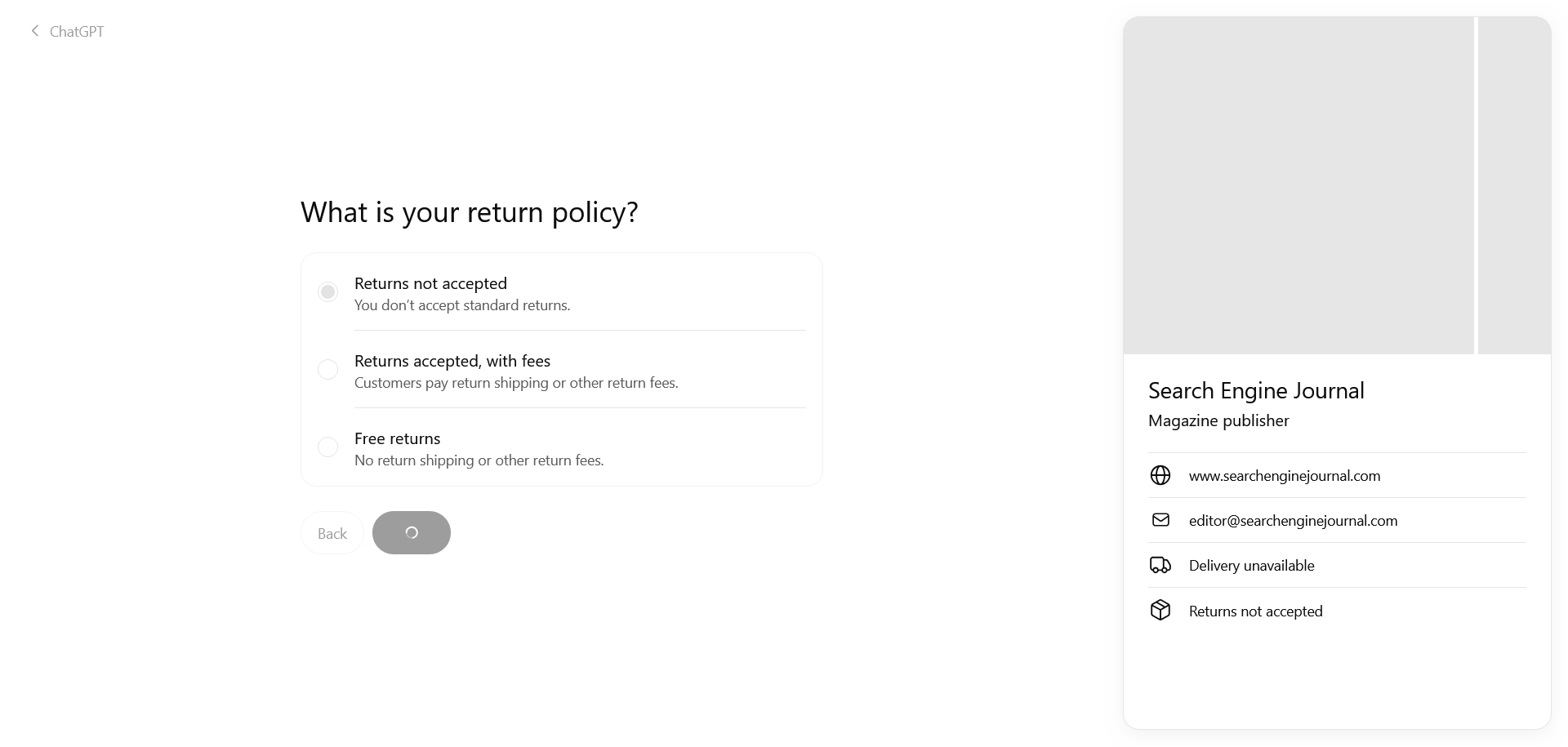
These choices appear in the profile preview. Check how they describe your business before continuing, especially if the questions don’t fit what you do.
6. Review the Saved Business Draft
ChatGPT then saved SEJ’s profile as a draft and directed me to the business overview to continue verification or check its status.
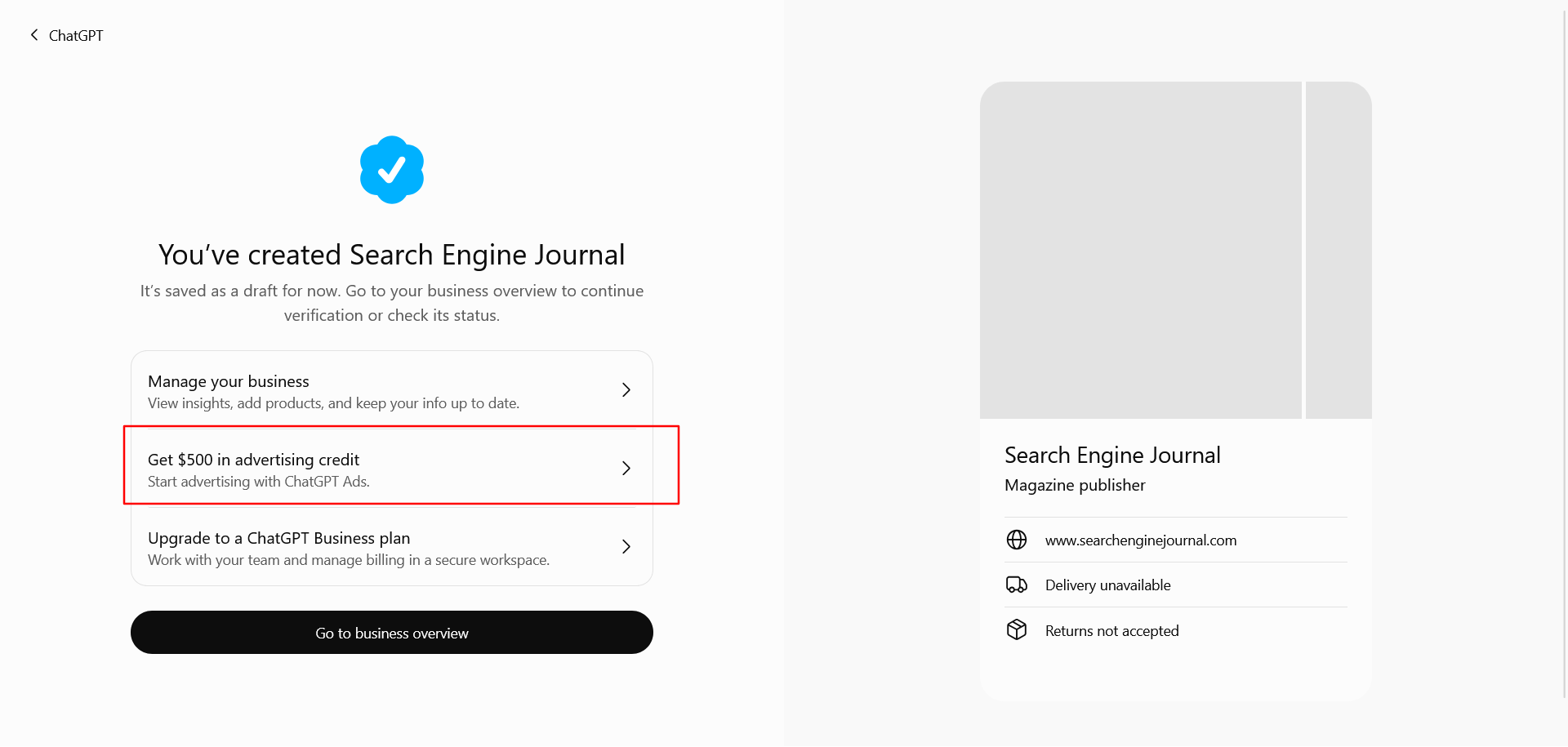
The same screen also offered $500 in advertising credit and an upgrade to a ChatGPT Business plan. The credit has eligibility and redemption terms, so check those before planning to use it.
You can manage an approved profile without running ads or publishing a Business Agent, according to OpenAI’s setup FAQ.
7. Verify Your Identity and Submit the Business Details
As director of technology at Search Engine Journal, I submitted SEJ’s information.
OpenAI’s eligibility requirement allows either the owner or an authorized representative to manage a business profile.
I completed the personal identity check first, then entered SEJ’s business information.
What Information Does ChatGPT Ask For During Business Verification?
- Personal identity: Persona offers a QR code or secure link to continue on a phone. You need camera access, but no app download.
- Business name and DBA: Enter the business name and its doing business as name, if applicable.
- Country and business type: Select the country and whether the business is a sole proprietorship or an entity.
- Tax ID: This field was optional in the Armenia example shown below. Follow the requirements displayed for your business’s country.
- Website: Provide your business’s website address.
- Physical address: Use a physical address. This form does not accept P.O. boxes.
- Legal registered address: Enter it separately if it differs from the physical address.
Review these details before submitting, because approval automatically publishes new profiles created through Persona. Approved Persona verification also adds the blue badge, according to OpenAI’s Persona guidance.
8. Check the Verification Status
For SEJ, verification was almost instant. I captured the review screen below before approval.
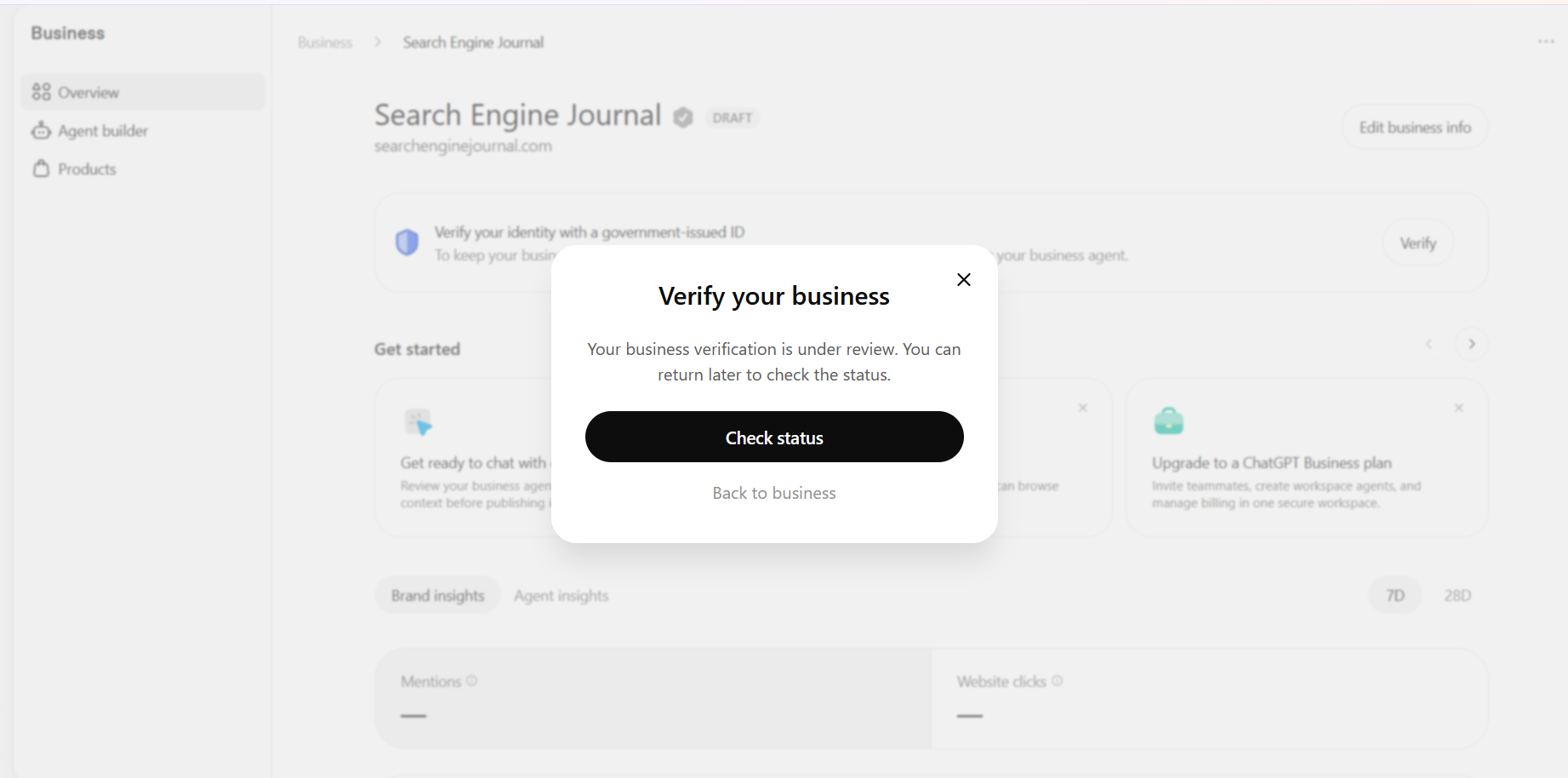
If your verification is pending, return to the business overview to check its status.
What Business Hub Insights Look Like
To see how often ChatGPT references your business, Business Hub provides mentions and website clicks. OpenAI’s launch announcement says these insights use aggregated data with reporting thresholds. Businesses do not receive people’s private conversations.
A mention has a specific meaning here. For an online business, ChatGPT must reference its website. Mentioning the brand name alone does not count, according to OpenAI’s insights definition.
SEJ’s mentions chart below spans October 14 to November 10, 2026. The view shows 353,356 mentions and 2,663 website clicks, with data through November 10 in UTC. Daily mentions increased by roughly 90% between the first and last day, based on the chart.
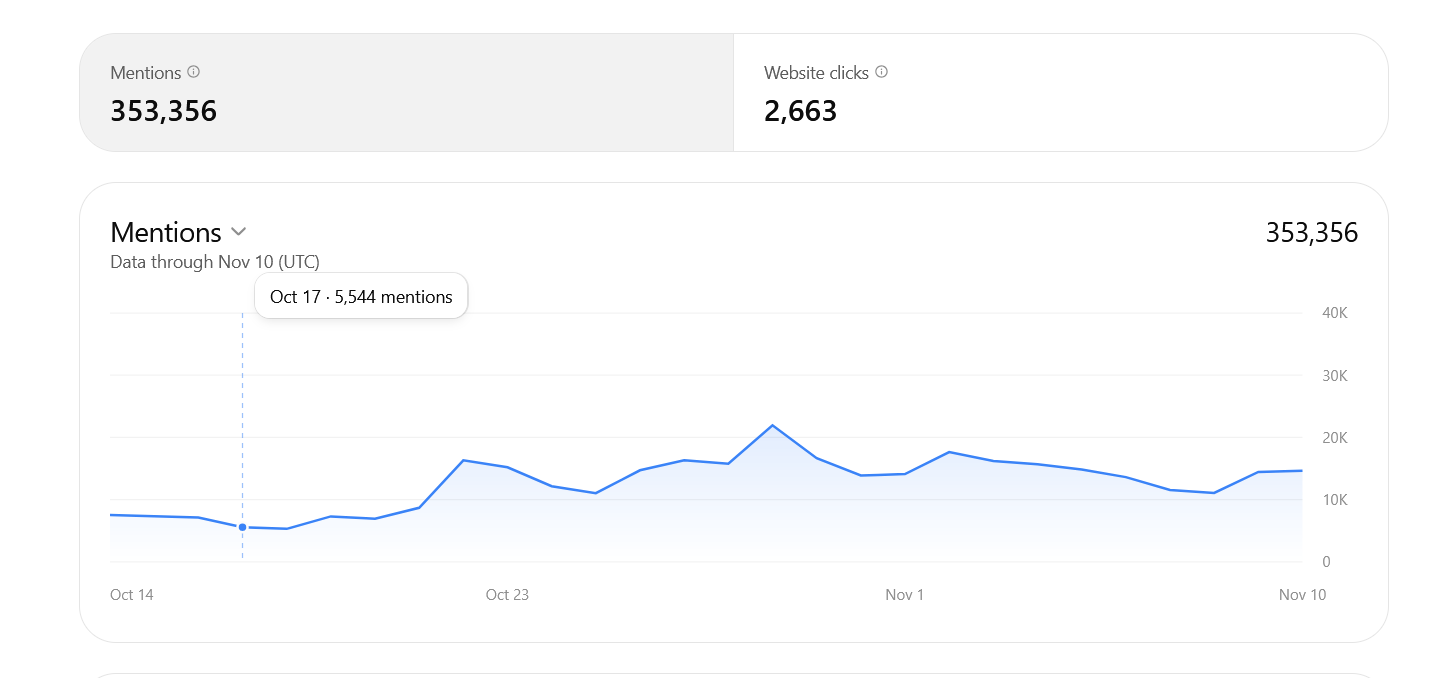
These figures become more useful alongside your website analytics. Compare the same date range to see whether changes in mentions came with changes in traffic or conversions.
How to Add Business Admins
Business Hub also lets you give teammates access to manage the profile. From the business overview, select Invite in the upper-right corner. The Invite business admins dialog lets you add their email address.
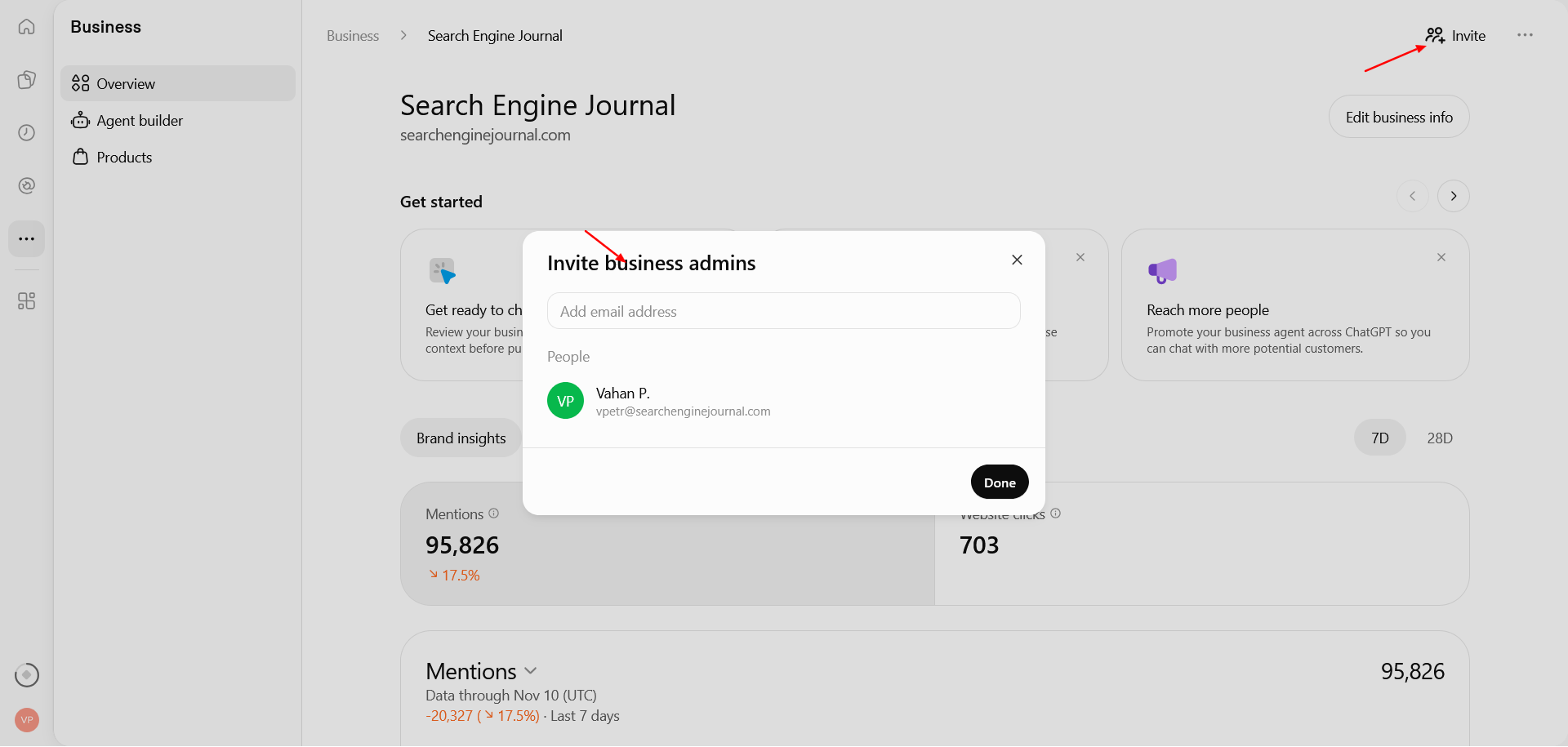
OpenAI’s access guidance says the admin who claimed the business can invite teammates and grant an agency access. Each person should use their own ChatGPT account. If the profile was claimed through a ChatGPT workspace, invitees may need to be members of that workspace.
This is similar to Google Business Profile’s owner and manager access. Both let several people help maintain a business profile using their own accounts. The person who submits the business does not have to handle every update.
Does Claiming Your Business Help With SEO or GEO?
Business Hub gives you control over the information you submit about your company. Whether that leads to more recommendations is something we still need to measure.
For a brand with inconsistent profiles, I would start by submitting the current company name and description in Business Hub. I would also check its name, address, and phone number (called NAP) across its website, business listings, and social profiles. Keep them accurate and consistent for the same business or location.
Our guide identifies local citations as a ranking factor for Google’s local search results. That consistency still matters for AI systems, which may use several sources to describe the same business. Updating Business Hub is one part of that work. I would also correct outdated details wherever they appear.
If a rebrand has left both the old and new names in circulation, explain that relationship on your site and in the business description where relevant. Keep the legal name in the verification fields that request it.
This is why I would treat Business Hub as one source of business information, rather than assume it overrides everything else ChatGPT finds. OpenAI’s profile policy says profiles can include information from other sources.
Can You Manage Multiple Brands or Locations Together?
If your company owns several brands, each needs to be managed individually. Business Hub does not yet offer a central way to manage a parent company’s brands and locations. Claiming the main brand does not extend that claim to its locations, according to OpenAI’s guidance on managing brands and locations.
For brands going through a managed claim process, access to individual location profiles is restricted by default. Ask your OpenAI account contact which claiming process to follow for those locations.
Conclusion
Business Hub is still new, and there is more to explore beyond submitting a profile. If you sell products, the next step could be adding a feed with pricing and details using OpenAI’s file-upload guide. Agent builder is another feature to explore as it gradually rolls out to more regions. I expect these features to improve over time and OpenAI to eventually launch a Search Console-style tool for ChatGPT.
Accurate business information and websites that AI systems can access matter, and Business Hub now helps us understand how AI platforms describe our brands and send us traffic.
More resources:
- Your Biggest AI Search Risk Is Conflicting Information About Your Brand
- How ChatGPT Actually Picks Sources (I Read The Network Traffic, Not The Outputs)
- How To Track AI Traffic In GA4 Without Undercounting It
Featured image: Samuel Boivin/Shutterstock.
来源:Search Engine Journal · searchenginejournal.com